
 12 months interest free on any Mac over £1,000.
Baker Days
Inset Days (or “Baker Days” as they became known, since being introduced in 1988 by the then Conservative Education Secretary, Kenneth Baker) are used by schools usually at the start of term to deliver training to staff for the academic year to come, covering aspects of new curriculum, new staff orientation and more often, for software and technology training. But does training teachers to use new technology help them become better teachers?
My wife is a teacher with over 20 years experience in three different UK counties. She has therefore attended numerous inset days in that time to be "trained" how to use Interactive Whiteboards, Voting Systems, Visualisers and School Information Management Systems. After every "Baker Day", her opinion is that the training concentrated on how the technology works rather than how it can be used to deliver better teaching. Indeed, the training is often delivered by an employee of the technology company with no teaching experience.
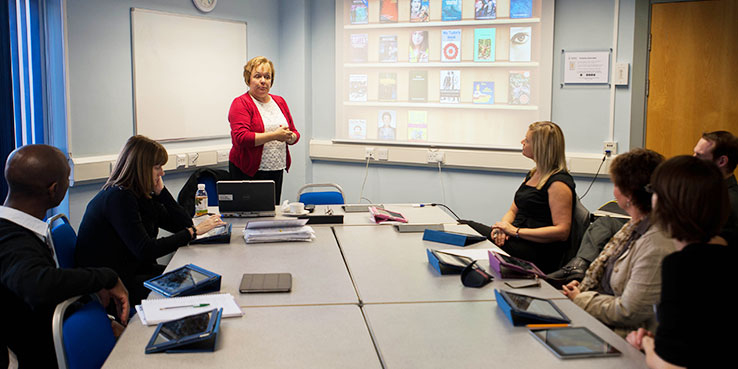
So how does Apple Professional Development training differ?
The APD catalogue has been written by educators, for educators and is delivered by approved APD facilitators that are either serving teachers or have served as teachers. That makes a huge difference. They will have a unique view: they know what’s important in the education environment, so they can ensure that the training is about how Apple products can best serve teaching.
You will often hear people say that Apple technology "just works”, so the APD training concentrates on how to deliver transformational teaching using the technology, rather than worrying about how it works. The training becomes less about the tool and more about the skill of using it. After all, having iPad or Mac in school doesn’t make it a good school. It is the teachers and the teaching that makes a school good or not and the results from good teaching that define a successful school.
For every 25 Apple devices (iPad and/or Mac) purchased by an education establishment, a credit is earned that can be used to subsidise a half day of APD training. For every 50 devices, that subsidy rises to a whole day. The APD catalogue outlines courses across the Curriculum subjects as well as courses for Leadership, Support and Preschool.
When I visit schools, I am often asked to recommend the "best Apps" to use in each subject and for Early Years, certain Apps are appropriate. However, there are a core set of Apps that can be used across the curriculum for content delivery, content creation and most importantly for feedback. This “workflow” can form the fundamental basis of teacher training for using iPad in school and our APD trainers have seen how this can dramatically reduce the time and burden of feedback and marking.
Most teachers will regularly take home a plastic crate full of books to mark, but using Apps such as iTunes U and Showbie can reduce that pile of books to a single iPad! Combined with Apps such as Explain Everything, Foldr, Pages, Keynote and iMovie, a workflow that can be used right across the curriculum is achieved and transformational teaching and improved learning outcomes can follow. This is the KRCS Education Team’s recommended best practice and we would be happy to visit you in school to discuss and demonstrate this in more detail.
If your school, cluster or Trust would like to book a KRCS training session, host one of of education events or have some APD delivered in your school by our enthusiastic trainers, then please contact us and visit our Events page for training near you.
Written by Glyn Rozier, Education Sales Manager.
No Comments yet. be the first to comment.