
 12 months interest free on any Mac over £1,000.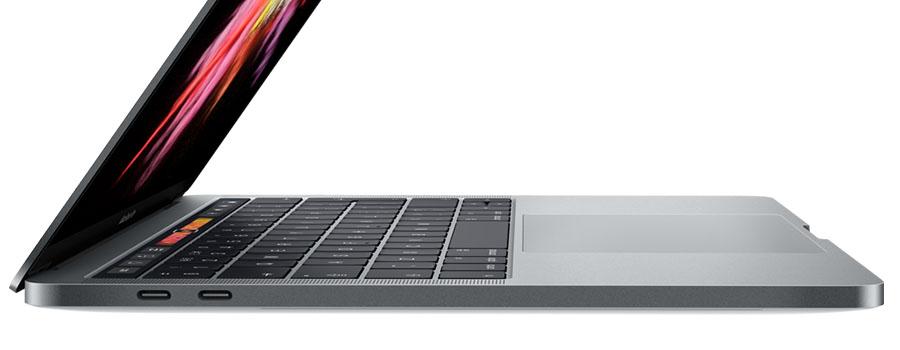
Thunderbolt 3 Adapters
Firstly, a quick recap of where we are with Thunderbolt and USB.
Thunderbolt technology was developed by Apple and Intel as a high speed interface, and has been included on Apple machines for quite some time. It has had a major change with the 3rd iteration, so now the port is the same shape as USB Type-C. This means that the 12” Macbook and the latest Macbook Pro models now have the same shaped ports, which makes things easier when plugging in devices.
In our list, if an adapter is labelled as USB-C, it will work in all the ports in the 12” Macbook and latest Macbook Pro. If the adapter is labelled as Thunderbolt 3 it will only work in the MacBook Pro models released from October 2016 onwards.
Apple Thunderbolt 3 to Thunderbolt 2 Adapter

This adapter turns one of your Thunderbolt 3 ports back into a Thunderbolt 2 port allowing you to connect to anything you may already be using. This also carries the Mini DisplayPort signal so your Apple Displays can still be used. This adapter can also be used with any Thunderbolt 2 adapters you already have.

Another simple one. Turning one port back into a USB-A form factor at USB 3 speeds. Perfect for your keyboard, mouse, or external storage.
Apple USB-C Digital AV Multiport Adapter

Apple’s Digital AV Adapter not only includes an HDMI port, it also includes another USB-C port, so you’re not losing the one the adapter is in; plus a USB-A port too. This is particularly useful if you have a monitor that also acts as a USB hub, giving you 2 or more USB ports if you connect the monitor to one on your MacBook.
Apple USB-C VGA Multiport Adapter

The same principle as the Digital AV adapter, only with a VGA port rather than HDMI, for older monitors and projectors.
So, while other manufacturers play catchup with Apple and the USB-C/Thunderbolt 3 form factor, there is no reason you can’t use the devices you already have. All the adapters on here are even small enough to put in a small pocket in your bag for use on the go!
Follow us on Twitter
Email us at info@krcs.co.uk
Call us on 0115 985 1797
No Comments yet. be the first to comment.